

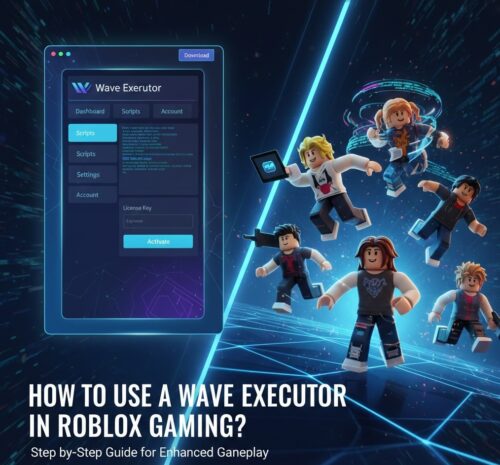
The use of a wave executor is becoming popular in Roblox gaming. A prominent proportion of players are using it to enhance their gaming experience. However, a lot of beginners are unfamiliar with the right process to follow for its execution.
If you are one of those, you can learn here how to use a wave executor. We have written a detailed guide to help you understand the method as well as common issues you may face. Scroll down and read the in-depth guide for better execution.
How to Use A Wave Executor? Step-by-Step Method
Using a wave executor isn’t complicated because of its user-friendly interface. However, some newbies find it hard because they are unaware of the process to follow. Here, we have shared a step-by-step method to follow for its usage.
Check System Requirements
Before you start executing this program, you must check the system requirements and ensure that your device is compatible with it. You have to check the Windows or related PC requirements if mentioned for using a Wave Executor.
Additionally, you should also have a look at .NET framework or other dependencies required for execution. If your system doesn’t meet the requirements, you may not be able to execute this program or use it for your enhanced gaming experience.
Download & Setup Executor
Once you are done with the requirements analysis and have ensured that your system is compatible to execute it, you can download the executor. Here are the steps for downloading it and setting it up for usage;
Step 1. Browse the official website “Getwave.gg” and click on the “Download” button to get the latest version of the wave executor.
Step 2. Start installation and follow the on-screen instructions.
Step 3. Wait until you get the installation completed screen and open the application at the end.
Redeem Your License
With the above step, you have completed the downloading and setting up of your Wave Executor. It is time to redeem your license and ensure that you are using it as a legitimate and authentic buyer.
For this purpose, you have to follow the steps mentioned below;
Step 1. In the Wave Executor application, look for the “Settings” section.
Step 2. Click on that icon and open the “Account” tab.
Step 3. From the new window, look for the “License” section and enter the license key you got after your purchase.
This is how you can redeem your license and ensure that you will be getting smooth customer support.
Common Issues You Can Face
From the above sections, you have learned how to use a wave executor. Undoubtedly, it is pretty simple to follow the above steps and accomplish the execution. However, you may face a few common issues that you need to be familiar with for smooth troubleshooting.
We have shared some common issues you can face in this regard.
Executor Won’t Open
A common issue you can face is the executor not opening. It might be possible that your system is considering the application as a threat to your data, and its antivirus is interfering with its working.
In this regard, you can turn off your device’s built-in antivirus program. Additionally, it might be possible that some missing dependencies are creating this issue. You must recheck the requirements of the wave executor if it is not opening on your device.
Script Don’t Run
Another common issue you may face is that your script is not running. It means that you won’t get any outcomes even after using this wave executor. In such a situation, you may be using an incompatible Roblox version.
It is good to ensure that you have updated your Roblox game to resolve this issue. You can also check the script format and ensure that it is suitable for execution.
Game Freezes
Last but not least, you may also see that your game freezes occasionally after the wave execution. It might be possible that resources from the game and the wave executor are conflicting, which is creating this kind of issue.
Best Platform to Get Wave Executor
To avoid the above issues and get smooth customer support for the solution to such issues, you must consider choosing a reliable and trustworthy platform for your purchase. WYV stands as the best service provider in this regard, from where you can get a wave executor with safety assurance.
From our platform, you will have assurance of quick and smooth customer support. Our wave executor has a user-friendly interface as well as being compatible with multiple script formats. Whether you are a veteran or a newbie, you can easily use this wave executor.
Final Verdict
From this blog, you have learned how to use a wave executor. We have shared a step-by-step method to help you learn the right process even if you are using it for the first time. It is time for you to get the Wave Executor from our platform and follow the steps mentioned to enhance your game.